 North India Statesman
[ad_1]
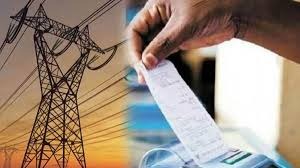
News India Live, Digital Desk: Has that ever happened to you? The month ended, the postman threw the electricity bill at home, and as soon as you saw the amount, you were shocked! Many times it happens that we do not use electricity that much, but the bill comes so much that it seems as if the meter of the entire neighborhood is running from our house itself.
We call this a “mess bill” or incorrect meter reading. But the real problem is not the bill, the real headache is getting it fixed. Just thinking about visiting the government electricity office, standing in long queues, and listening to the scoldings from the elders, a person is forced to pay the bill.
But wait! Now times have changed. Technology has made our life very easy. You will be surprised (and happy) to know that you can now complain about your wrong electricity bill directly to your WhatsApp Can do from. Yes, just like you chat with friends.
Visiting government office? Now “absolutely not”
Electricity Department is now going digital. Many electricity companies of the country have started WhatsApp service for consumers. Its objective is simple – to reduce crowd and provide convenience at home. If your bill is high, the meter is faulty, or there is a problem in supply, all you have to do is pick up the phone.
How to file a complaint through WhatsApp? (Step-by-Step Guide)
The process is as easy as ordering a pizza. Although the WhatsApp number of the electricity company is different in every state and city, the method is almost the same. Know here how this system works:
- Identify your zone or company: First of all, check who sends electricity to your house (like BSES, Tata Power, Adani, UPPCL, NBPDCL etc.).
- Save WhatsApp number: Find the official WhatsApp number of your electricity company on their website or on the back of the bill and save it in your phone.
- Send “Hi”: Open the chat and simply type “Hi” or “Hello” and send.
- Select Complaint in the menu: From there you will get an automatic reply (Chatbot Menu). There will be different options like ‘View Bill’, ‘Pay Bill’, or ‘Register Complaint’You have to choose the complaint option,
- Provide CA Number: yours to you Consumer Number (Consumer/CA Number) Will be asked for, which is written on your old bill. Type it.
- Upload photo (if required): If the meter reading is incorrect, some systems also give you the option to take a photo of the meter and send it.
Bus! Your complaint will be registered and you will receive a “Complaint Number” Will get it. You can also check later on this chat what action has been taken on your complaint.
Not just a complaint, there are other benefits too
WhatsApp service is not limited to just complaints. You can also use it to:
- Viewing your current bill (so you don’t have to wait for a paper bill).
- Checking history of past payments.
- Asking for information to get a new connection.
