North India Statesman
[ad_1]
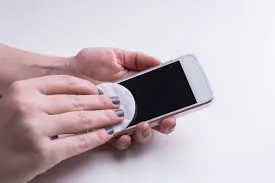
It has often been seen that when we buy a new smartphone, we must have a glass guard or screen protector to protect its screen. However, after planting screen guards several times, the touch of the phone does not work properly, which causes a lot of trouble to the user.
If this is happening to you too, there is no need to panic. Now you can get rid of this problem without removing the screen guard. For this, a special feature in the phone setting can help you.
No need to remove screen guard
The best thing about this trick is that you will not need to remove the screen guard. That is, the security of the screen will also remain and the touch will also work better.
Solution is hidden in accessibility settings
Android smartphones have a special setting that can help to overcome this problem. This setting is found in the accessibility section of the phone and it is included in its latest Android 15 version by Google.
This is how changes in settings
-
First of all go to your smartphone’s settings.
-
Select Accessibility or Accessibility & Convenience option from there.
-
Now scroll downwards and click on the Power button option.
-
Here you will see two options.
-
ON the togle seen in front of the screen protector mode.
Taking this mode on will increase the sensitivity of the touch screen of the phone and will also respond easily on the screen. In this way your phone will start giving better touch response as before.
Focusable
This feature is currently available only in smartphones based on Android 15 version. If you have an old version of this, this option will not appear in your phone.
Should you eat almonds in summer or not? Know the right way and its benefits