North India Statesman
[ad_1]
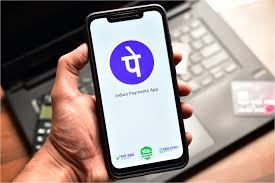
News India Live, Digital Desk: Digital payment giant PhonePe has launched ‘Biometric Pay’ for its users. Through this feature you can use your smartphone Fingerprint Scanner Or Face Unlock (Face Recognition) You will be able to make payment directly using. This not only saves time, but also eliminates the menace of ‘Shoulder Surfing’ in crowded places.
Key Highlights of this new feature
Transaction Limit: You Rs 5,000 UPI transactions can be done only through biometrics without entering PIN. Payments above Rs 5,000 will still require UPI PIN for security reasons.
Where can it be used: You can use it to send money to friends, scan QR codes at shops, make online payments and even bank balance check Can also do to.
Availability: Currently this feature only Android Has been rolled out for users. This facility will be launched soon for iPhone (iOS) users.
defense Curl: If the biometric does not work due to poor lighting or sensor issues, you can immediately switch to the old method with ‘UPI PIN’.
How to enable ‘Biometric Pay’ on PhonePe? (Step-by-Step Guide)
To take advantage of this feature you need to make a small change to the app:
Update App: First of all, update your PhonePe app to the latest version from Google Play Store.
Go to profile: Open the app and select your Profile Tap on the photo.
Manage Payments: scroll down and ‘Manage Payments’ Click on the (Manage Payments) option.
Biometric Pay: Here you will find a new ‘Biometric Pay’ icon/option will appear, tap on it.
Enable: Enable ‘Biometric Authentication’ for your respective bank account.
Complete setup: For first time setup you will need to UPI PIN Will have to be entered and then verification will have to be done through fingerprint or Face ID. After this your ‘one-touch’ payment will start.
Benefits of biometric payment
Fast Payment: Saves 5-10 seconds of PIN typing.
Better Security: No fear of PIN being exposed in public.
Less Failure: Often transactions fail due to entering wrong PIN, biometrics will reduce this problem.